
DirectServe: File Transfer
Send files from Android to iPhone, PC, Mac, TV, tablet or Chromebook over WiFi or hotspot. The other device just opens a link in its browser — no app to install, no cloud, no cables, no accounts.
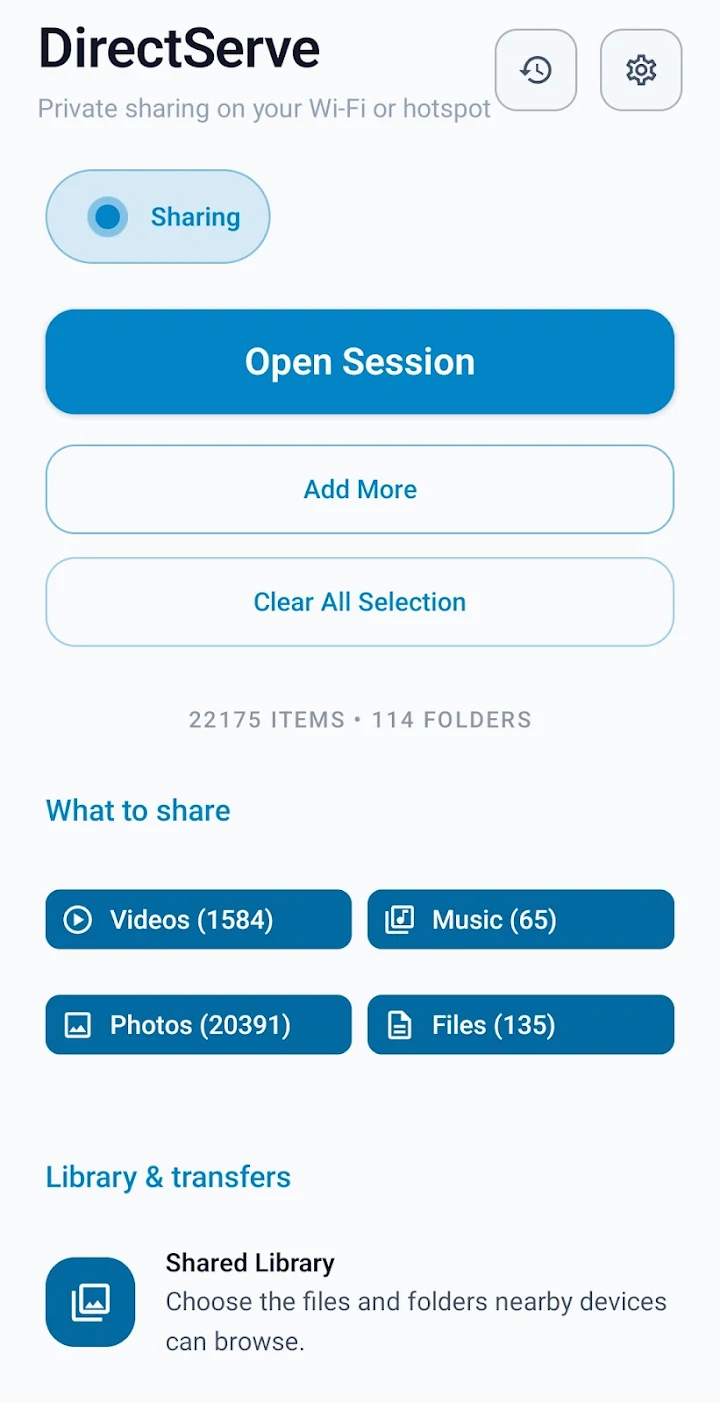
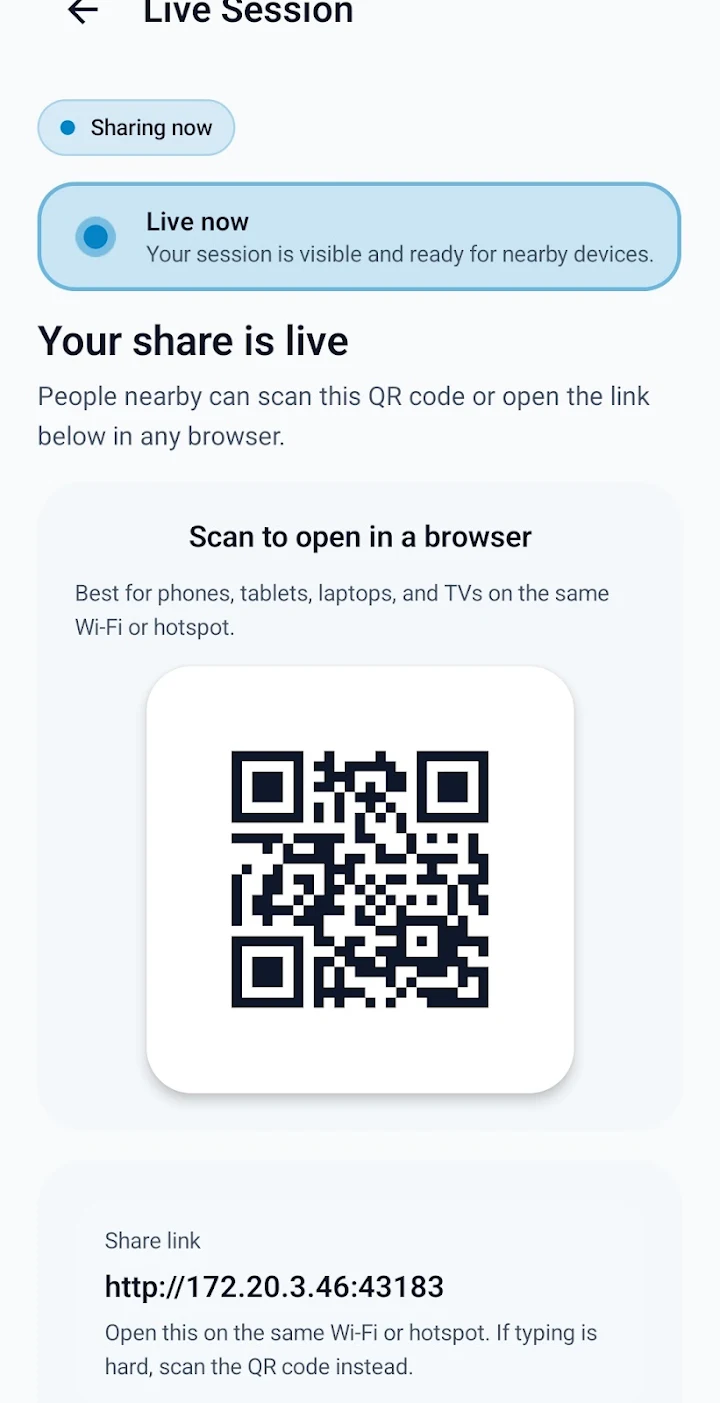
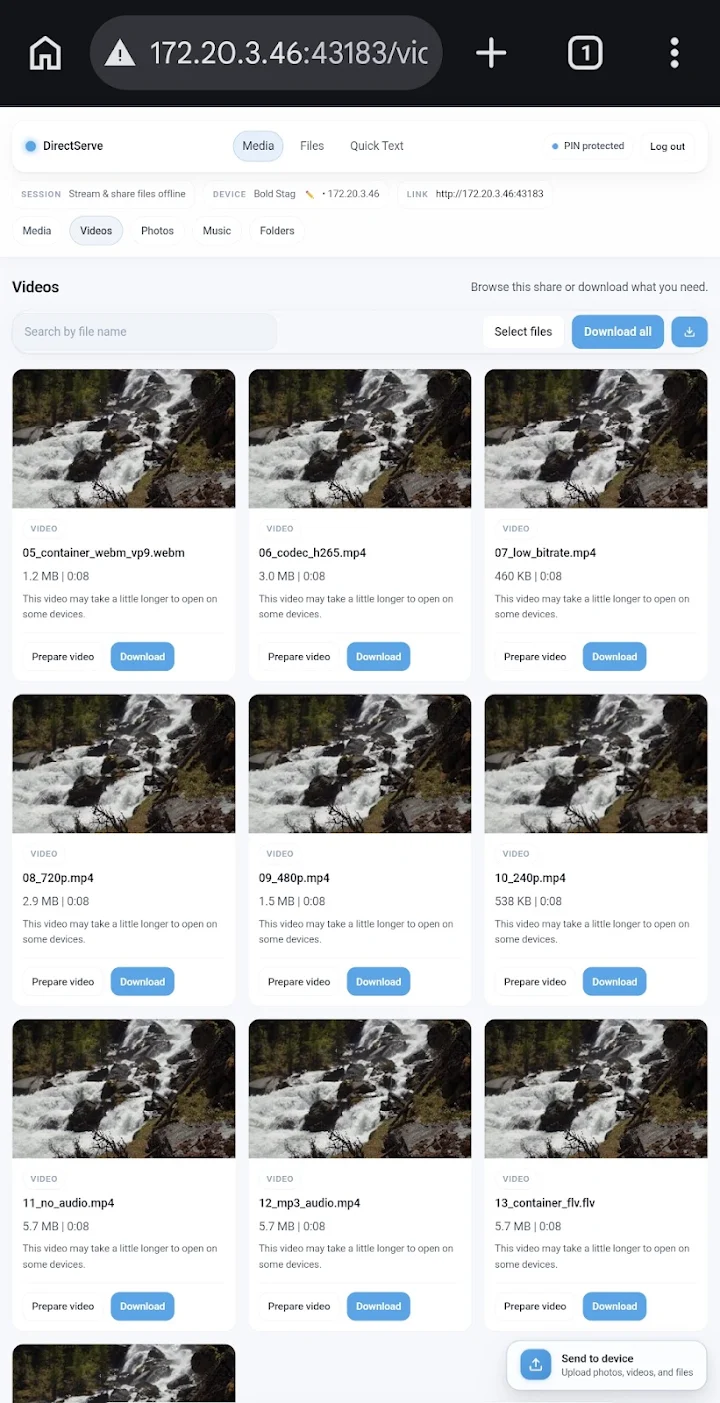
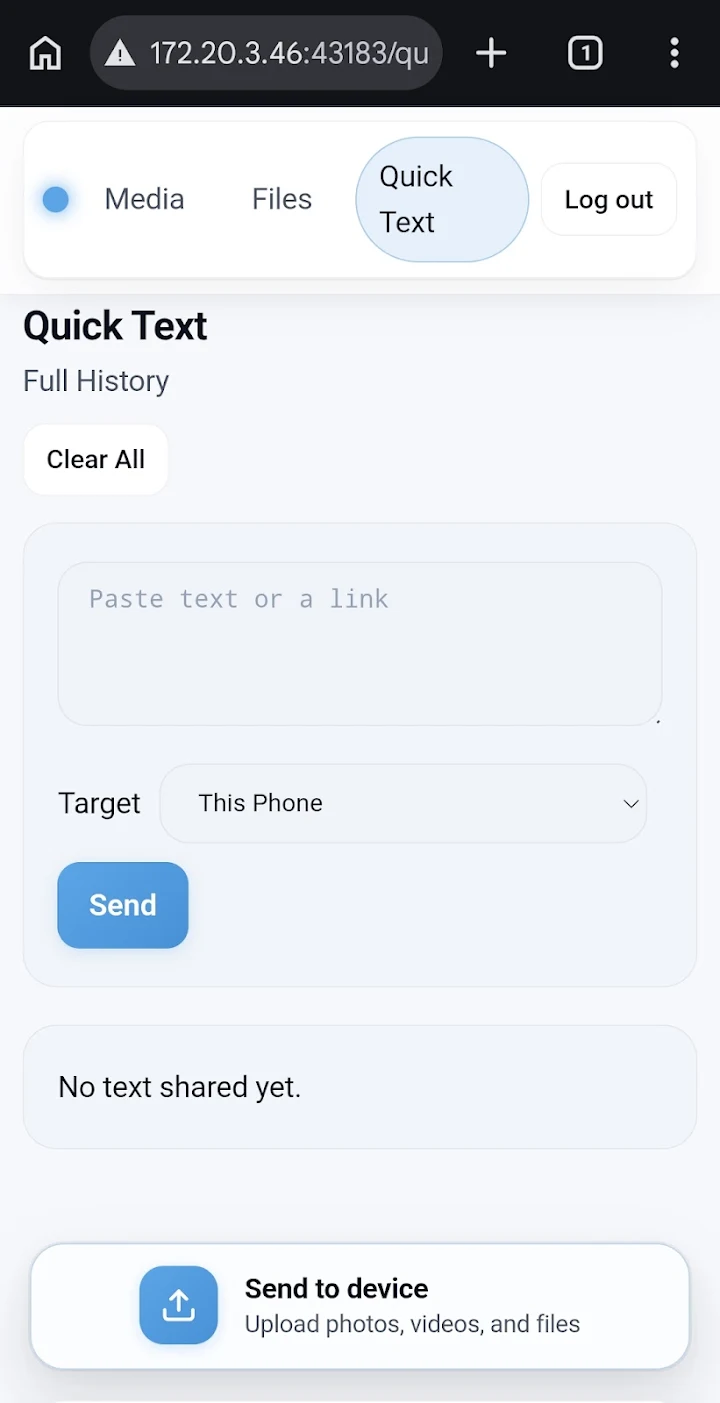
Share with any device that has a browser
Three steps: start sharing, scan the QR code on the other device, download. That's the whole workflow.
Android → iPhone, No AirDrop
Send photos, videos and files to iPhone or iPad over WiFi or hotspot. No iOS app, no cloud storage, no cables — Safari is enough.
Works on PC, Mac & More
Browse, preview, download and manage your phone's files from any browser on Windows, Mac, Linux, Chromebook — even smart TVs.
Link or QR Code
Open a link or scan a QR code and you're connected. Your phone can also appear as a DLNA/UPnP media server for TVs and players.
Two-Way Transfer
Not just sending — receive files back from a PC, iPhone, tablet or another phone straight into your Android device.
You Stay in Control
Optional PIN protection, upload approval and download controls. Only the people you allow can see or send files.
100% Local & Private
Files travel directly between devices on your WiFi or hotspot. No cloud uploads, no accounts, no internet required.
Why DirectServe?
Moving files between devices is still weirdly hard in 2026. AirDrop doesn't talk to Android. USB cables need drivers. Cloud drives need uploads, accounts and good internet. Most "sharing" apps demand that both devices install them.
DirectServe takes a simpler approach: your Android phone becomes a local file server. Any device on the same WiFi network or connected to your hotspot can open a link in its browser and instantly browse, preview and download whatever you chose to share — videos, photos, music, PDFs, documents, archives, anything.
Because everything happens locally, transfers are fast, work without internet, and your files never touch a cloud server. Share with an iPhone at a family gathering, pull videos to your PC without a cable, or stream media to a smart TV via DLNA — all from one app that only needs to be installed on your phone.
DirectServe is a personal side project — completely free with no ads, built so people have a simple file-transfer tool that just works.
FAQ
How do I send files from Android to iPhone without AirDrop?
Does the other device need to install anything?
Are my files uploaded to the cloud?
Can other devices send files to my phone?
No more emailing files to yourself
DirectServe is free on Google Play. One install on your phone covers every device you own.