PettiBox: Save & Find
The private, offline-first bookmark manager for Android. Save links, notes, screenshots, PDFs and files from any app — and actually find them again when you need them.
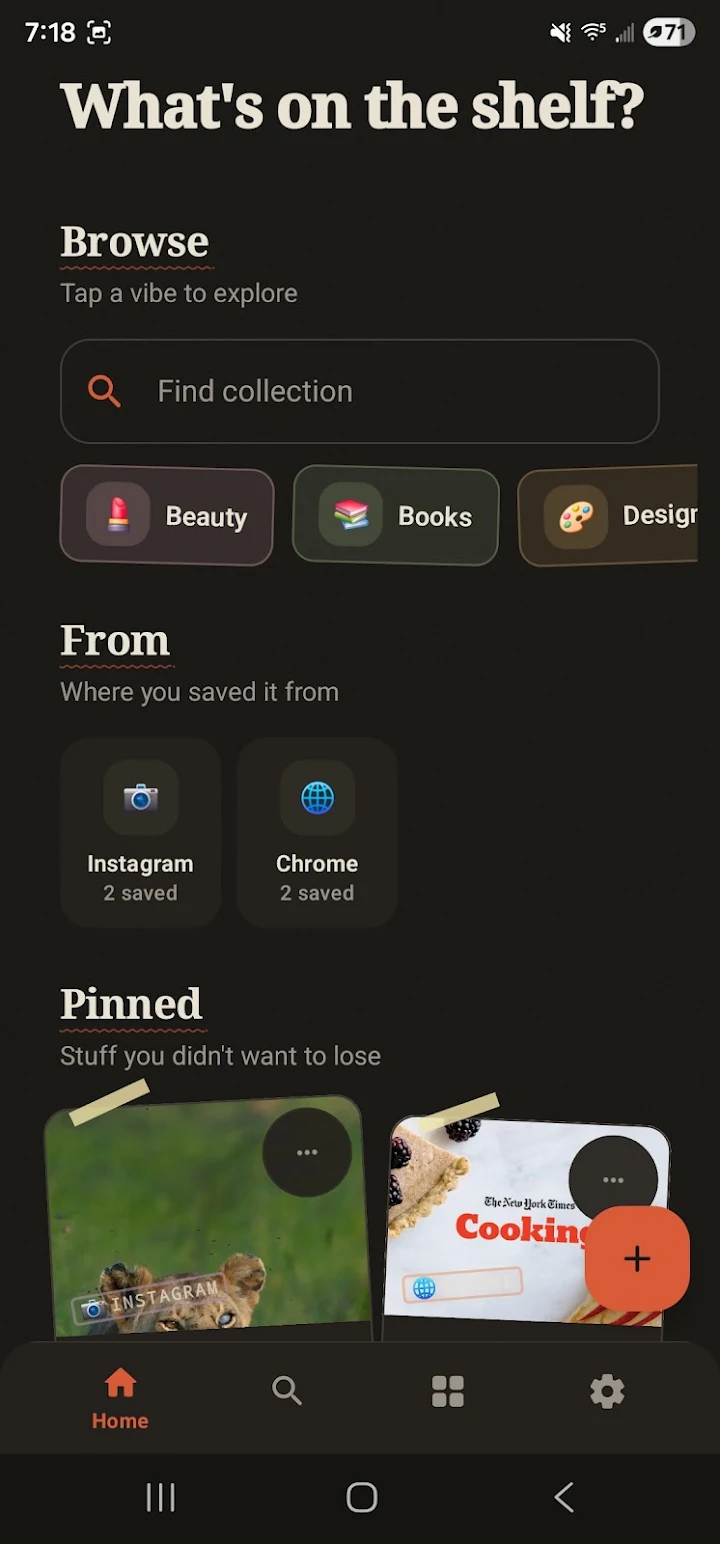
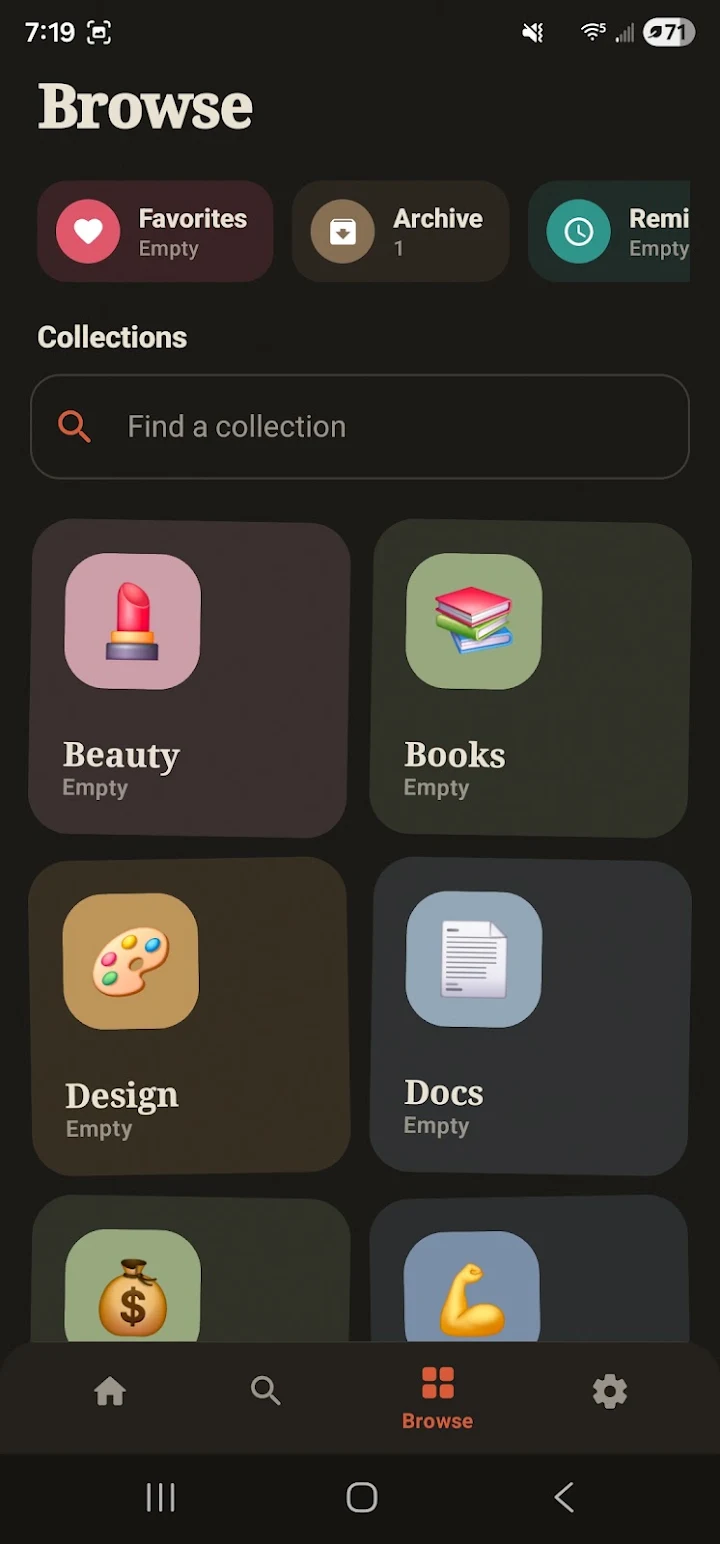
Everything you save, in one place
Links buried in chat threads, screenshots lost in your gallery — we've all been there. PettiBox is the personal library where they're always easy to find.
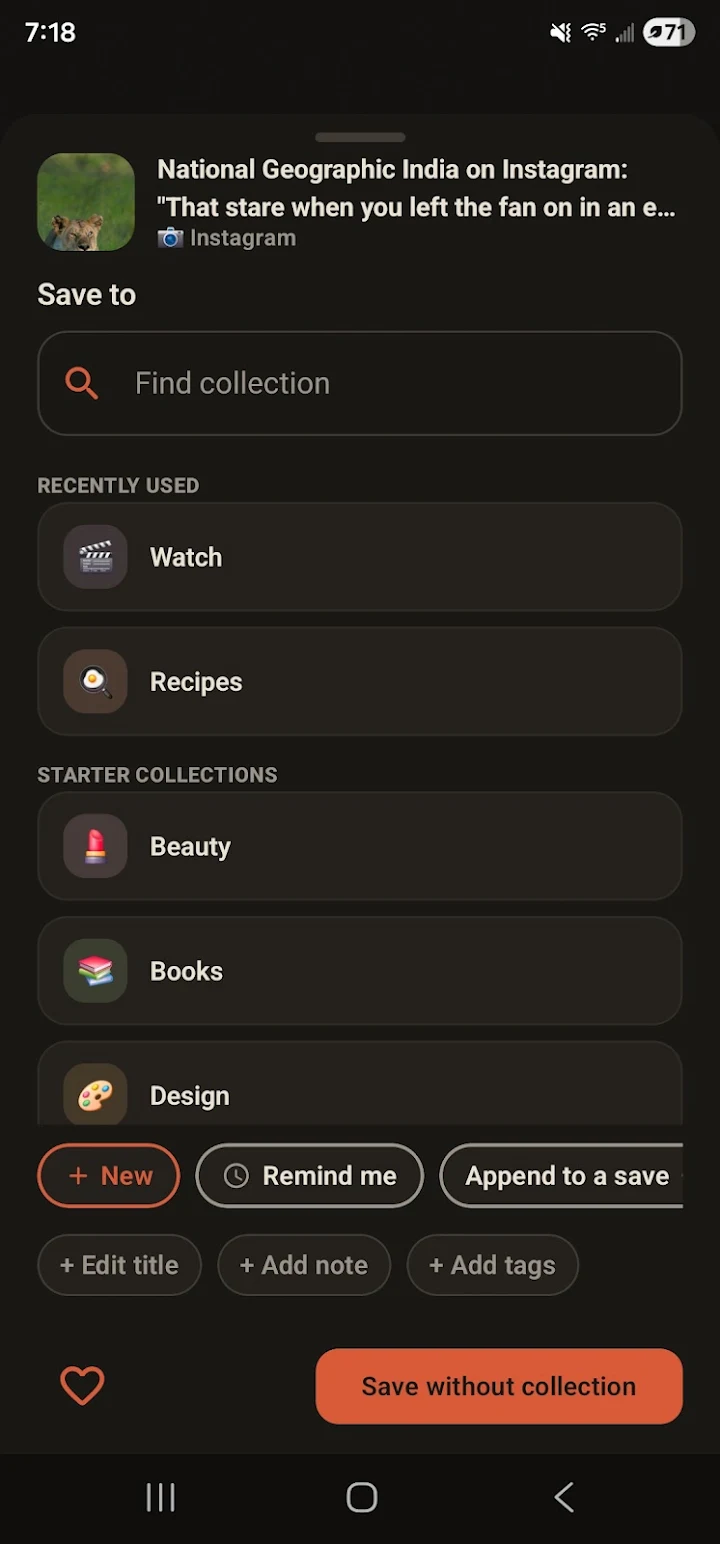
Save From Any App
Share into PettiBox from Chrome, YouTube, Instagram, Reddit, WhatsApp, TikTok, X, Gallery, Files — anything with an Android share button.
Collections & Tags
Organize recipes, study notes, work links, shopping ideas, travel plans and documents into collections. Add tags, pin, favorite or archive.
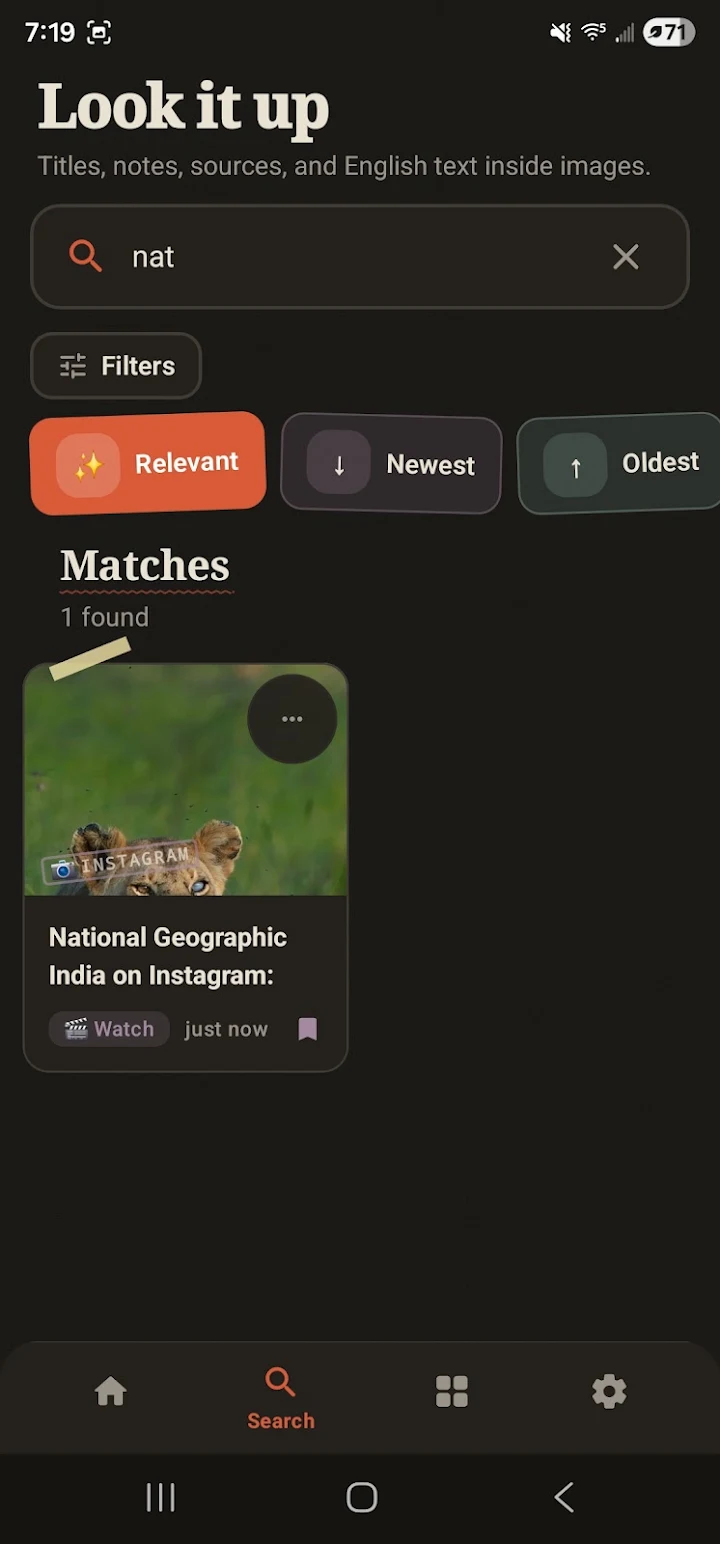
OCR-Powered Search
Fast offline search that reads text inside your images, screenshots and PDFs. Type a word — find the screenshot it appears in.
Reminders
Get nudged about that recipe to cook, video to watch or document to review. Saved-for-later actually means later, not never.
Offline & Private
Your saves stay on your device. No account, no subscription, no cloud required. Internet is only used for optional link previews.
Optional Drive Backup
Back up and restore via your own Google Drive whenever you want. PettiBox never touches unrelated Drive files.
Why PettiBox?
Every day you come across things worth keeping: an article you'll read later, a recipe from Instagram, a screenshot of a receipt, a PDF from work, a product you might buy. They end up scattered across browser bookmarks, chat apps, your gallery and your downloads folder — and when you need them, they're gone.
PettiBox is a save-for-later app and bookmark manager that fixes this. One shared inbox for links, notes, images, screenshots, PDFs and files. Collections and tags to keep it tidy. Blazing-fast offline search — with OCR text recognition — to find anything in seconds. And reminders, so the things you saved actually come back to you.
Unlike cloud bookmark services, PettiBox is offline-first and private: no account to create, no subscription to pay, and your data never leaves your device unless you choose to back it up to your own Google Drive.
Google Drive usage
Google Drive access is optional and used only for PettiBox backup and restore. PettiBox does not access unrelated Google Drive files. See the Privacy Policy for details.
What people use PettiBox for
- Save Instagram reels and posts to look at later, without a camera roll full of screenshots
- Keep YouTube videos and articles in a read-it-later list that works offline
- A Pocket alternative now that Pocket has shut down: links, notes and PDFs in one place
- Find a screenshot by the words inside it, with on-device OCR search
- Sort recipes, study notes, shopping links and travel plans into collections
- Get a reminder to actually read or watch what you saved
FAQ
Is PettiBox free?
What can I save in PettiBox?
Can PettiBox search inside images and PDFs?
Does PettiBox access my Google Drive files?
Never lose a save again
PettiBox is free, private and ready in seconds. No sign-up. No ads.